More reservations. Fewer phone calls. Better operational organization.
Accept online reservations 24 hours a day – on your restaurant’s website and on Google. Manage them conveniently right from RePOS.
- More reservations 24 hours a day
- Fewer phone calls and less manual work
- Better table occupancy
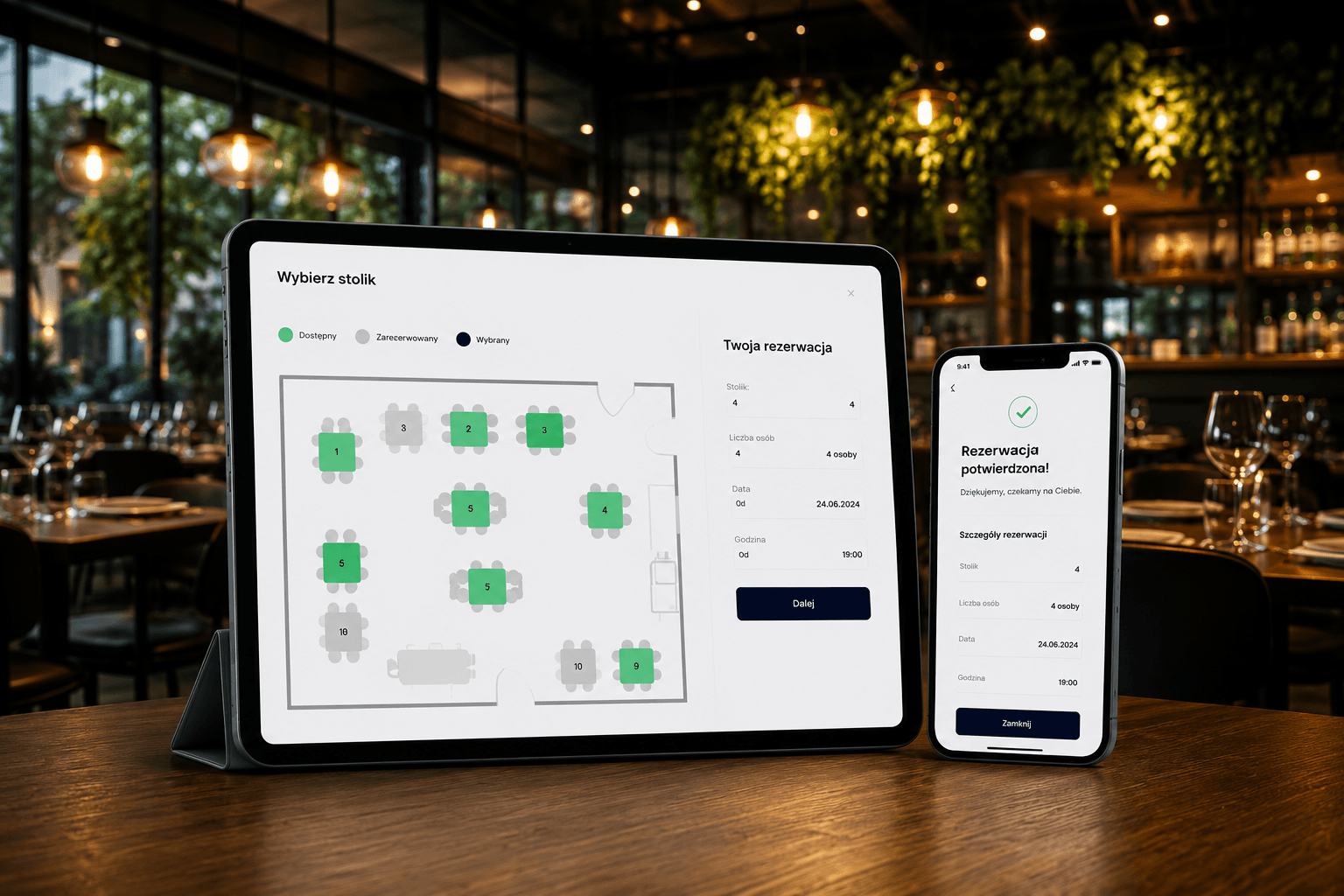
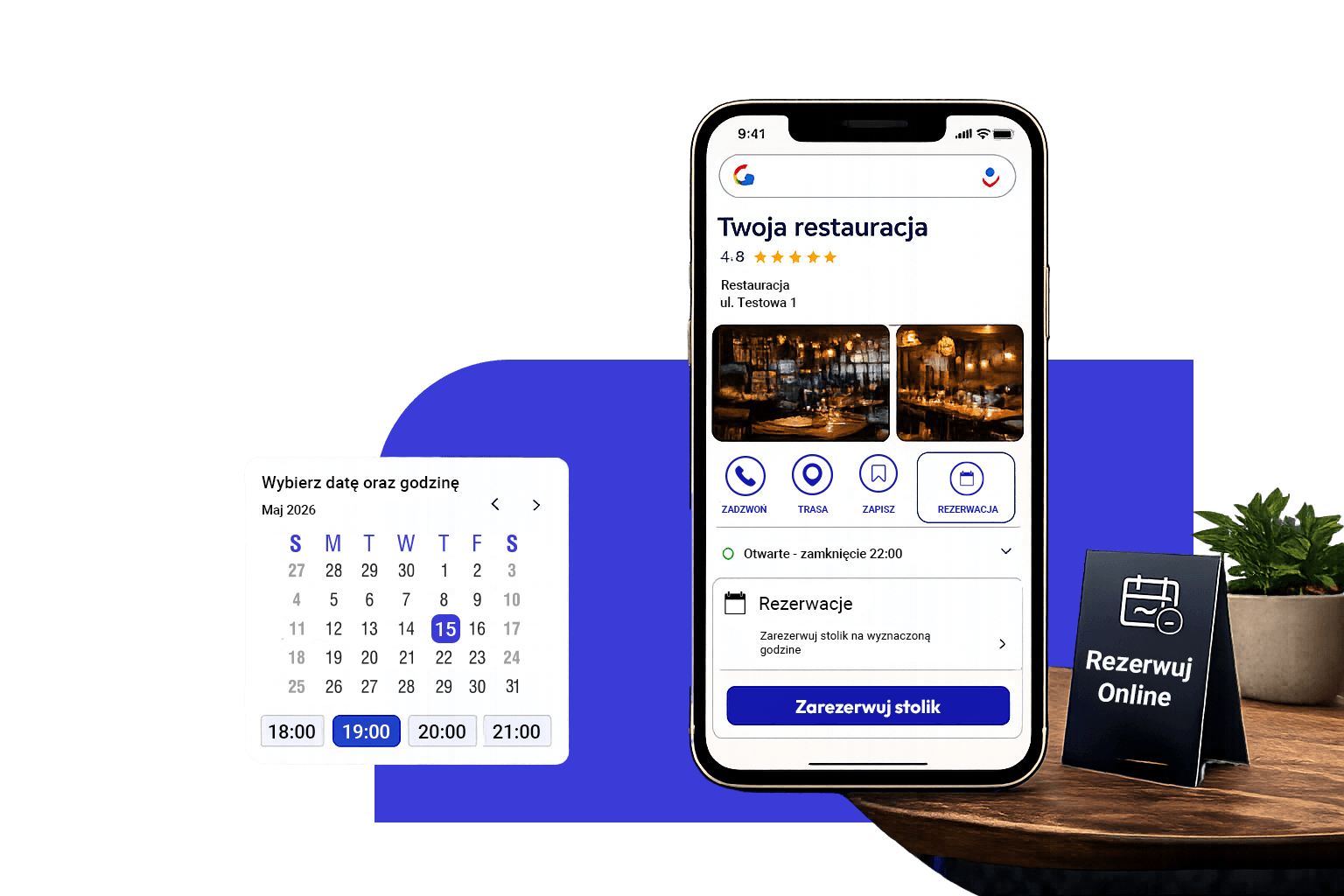
Guests want to reserve a table online – give them that option
More and more people are searching for restaurants on Google and want to book a table right away – without having to call or wait for a response. If you don’t let them make a quick reservation, they may choose another restaurant that offers this option.
Our solution allows you to accept reservations 24 hours a day and automatically sends them to the RePOS system.
How does your restaurant benefit from this?

Additional Reservations
Guests can reserve a table on the restaurant's website or directly from its Google Business Profile.

Fewer Phone Calls
Customers reserve a table using an online form, allowing staff to focus on the guests in the restaurant.

Better Space Management
Assign reservations to specific tables and manage them directly through the restaurant's POS system.

Everything in One Place
Reservations from the website, Google, and those added by staff are all collected in a single system.
Fewer Empty Tables
Automatic email reminders help reduce the number of forgotten reservations.
Convenient Management
Approve, edit, assign tables, and archive reservations directly in the RePOS app.
How does the reservation system work?
The guest selects a date and time
On the restaurant’s website or on Google, the guest selects the date, time, and number of guests.
The reservation is sent to the RePOS system
The staff receives a new request and can accept or decline it.
Manage the reservation
Assign a table, edit the details, and view a complete history of changes.
The guest receives a reminder
Six hours before the visit, the system automatically sends an email with the option to add the reservation to their calendar.
Key Features
Reservation form on the restaurant's website
Reservations Directly Through Google
Managing Reservations in the RePOS System

Assignment of Tables and Seating for Meal Service

Automatic Email Reminders
History of changes and the people who approved the reservation

Manual and Automatic Printing of Reservations
Archive of Completed Reservations
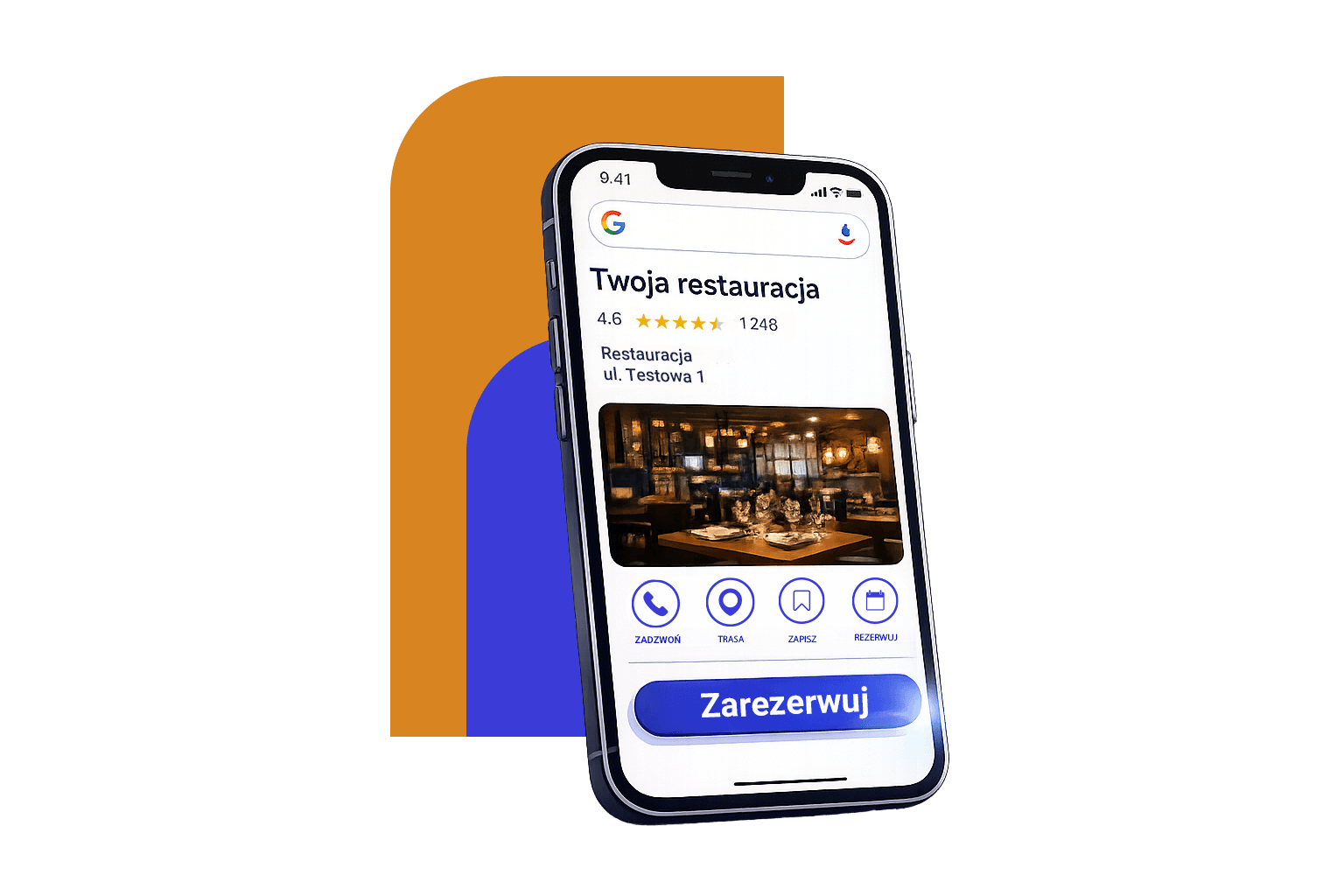
Reservations Directly Through Google
Let guests reserve a table right when they’re searching for a restaurant.
When they click the “Reserve a Table” button on your Google profile page, the reservation is sent directly to the restaurant’s POS system. Its status is continuously synchronized, ensuring that both the restaurant and the guest always have access to up-to-date information.
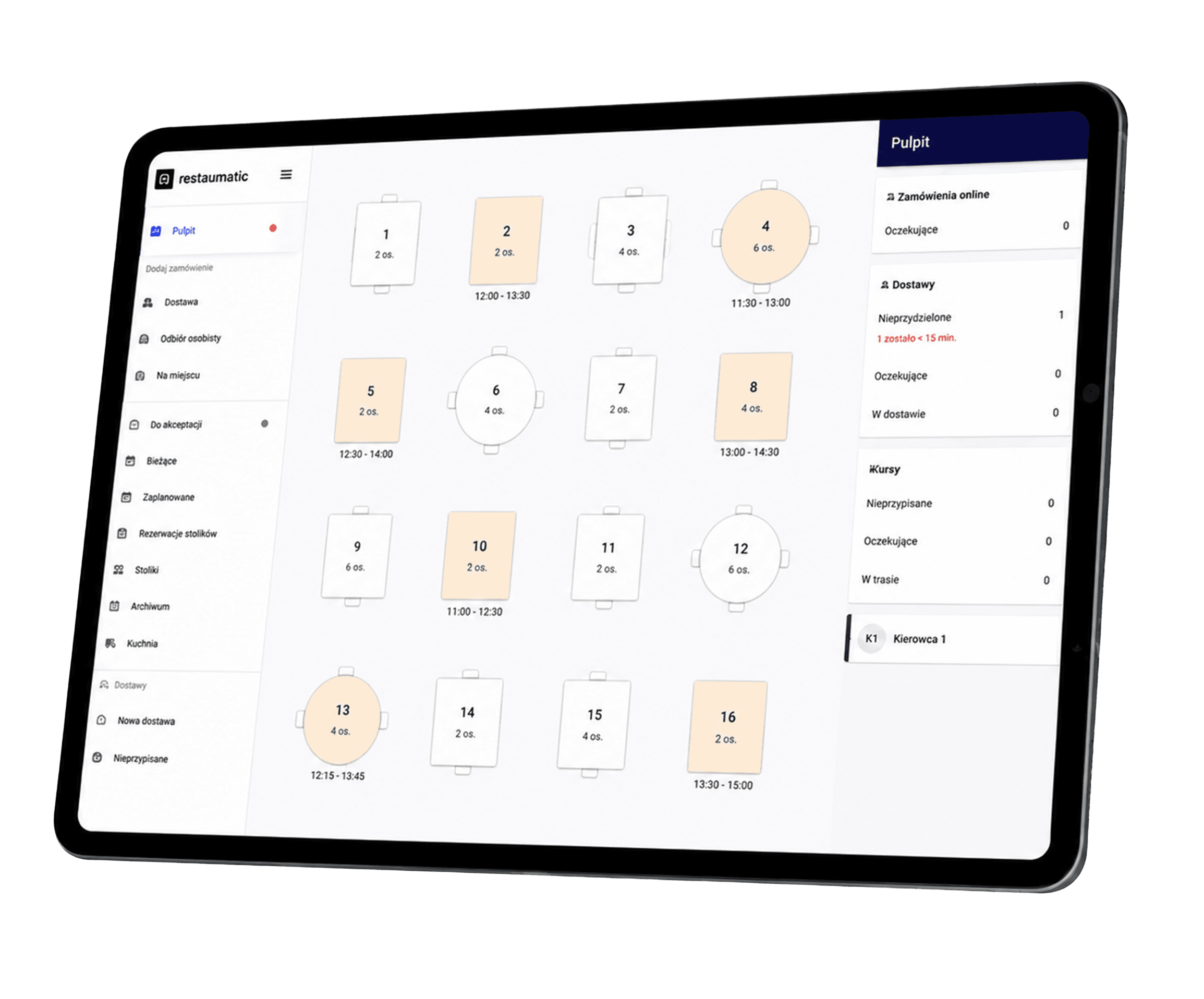
Manage tables directly from RePOS
All operations are handled in one place. You can easily:
- accept and decline reservations,
- assign tables,
- manage dining rooms and the patio,
- filter reservations by status,
- check the source of a reservation,
- print reservations,
- view the archive.
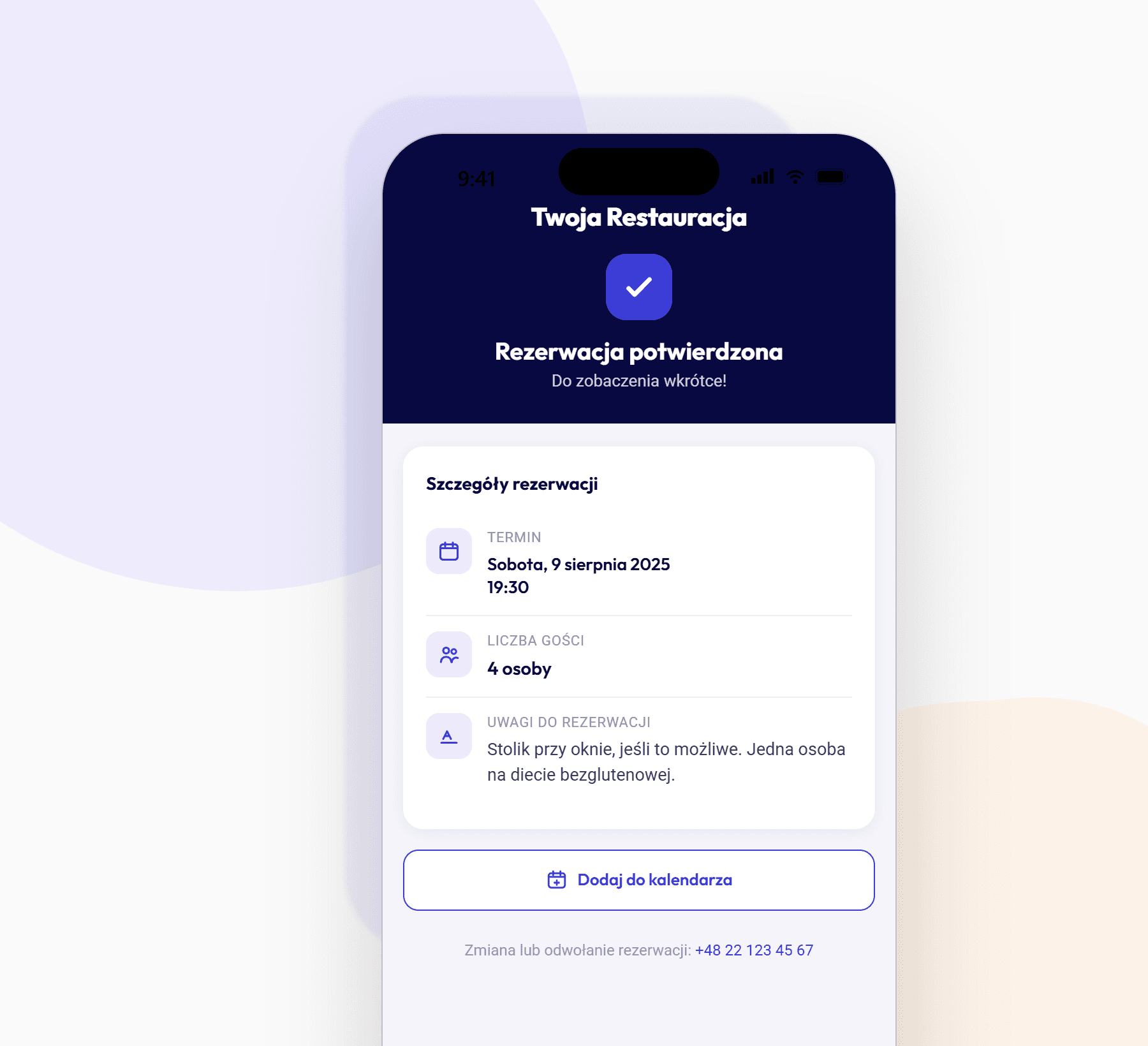
Automatic Reservation Reminders
Anyone who reserves a table and provides an email address will receive an automatic reminder 6 hours before their visit.
The message includes the most important details about the reservation – the date, number of guests, and any notes previously provided. Guests can also add the visit to their calendar with a single click.
It’s a simple way to reduce the number of no-shows.
Start Accepting Online Reservations
Make it easier for guests to reserve tables, streamline your team’s workflow, and manage all reservations in one place.
FAQ
Can guests reserve tables through Google?
Yes. Reservations can be sent directly from the Google Business Profile to the RePOS system.
Does the system send reminders?
Yes. Guests receive an automatic email reminder 6 hours before their visit.
Can I assign a specific table?
Yes, in the full version of RePOS.
Is it possible to print reservations?
Yes. Both manual and automatic printing are available.
Does the module work even if I don’t sell food online?
Yes. The module can also be used by restaurants that don’t offer food delivery and don’t allow online ordering.
Start Accepting Online Reservations
Make it easier for guests to reserve tables, streamline your team’s work, and manage all reservations from one place.